
Moon
Moon Phase
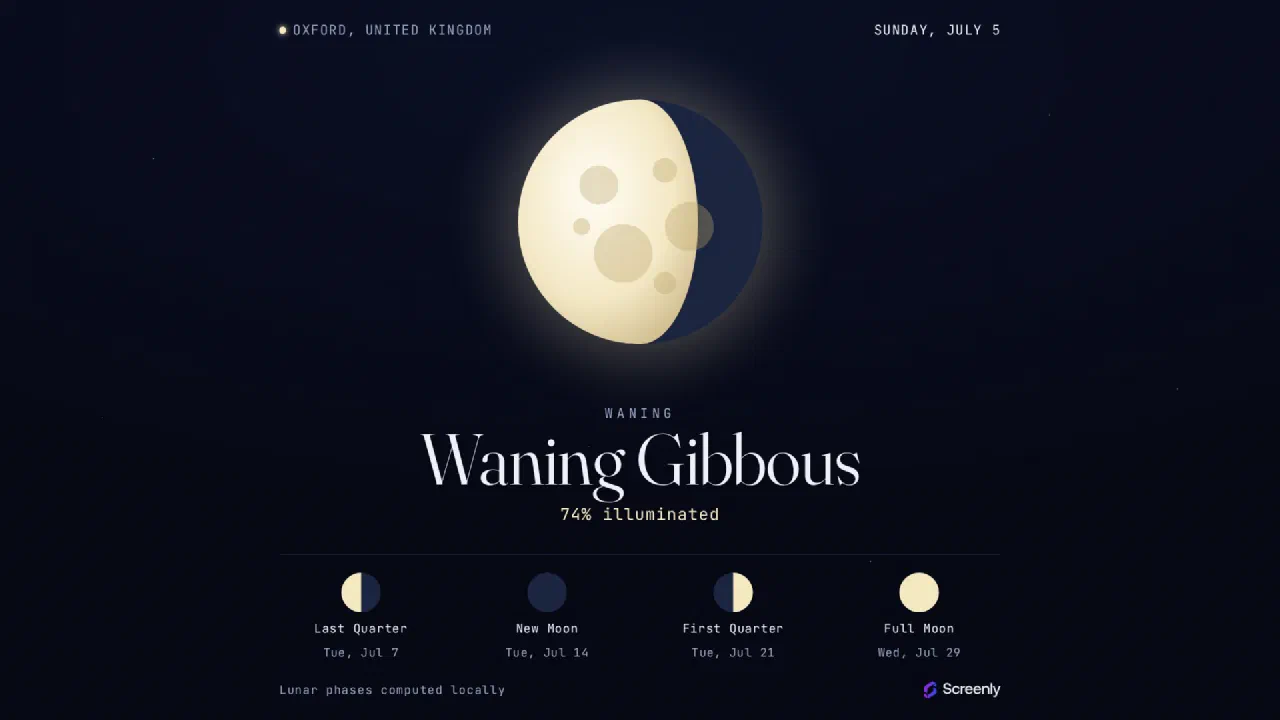
A full-screen daily lunar display for digital signage - tonight's Moon phase and illumination rendered to the exact hemisphere, with the upcoming New, First Quarter, Full and Last Quarter phases. Location is auto-detected by IP or set per screen.
Paste this link into Anthias, Screenly, or any compatible smart TV or signage player.
Tonight's moon, on any screen
The Moon Phase app shows a live moon phase display: the current phase and illumination, updated each day. It's a simple, striking way to fill a screen with something people look twice at.
Where it fits
- Science centres, planetariums, and classrooms
- Nature reserves, marinas, and coastal venues tracking tides and light
- Ambient office and lobby screens between other signage apps
How to add the moon phase app
Copy the app link above and paste it into Anthias (free and open-source), Screenly, or any web-capable signage player.
Is it free?
Yes. It's free to run on Anthias, the open-source signage player.